Cohort programs guide
Cohort programs are programs such as Men of Valor, Young Men of Valor, Daughters of Sarah, Young Daughters of Sarah and Titus 2.
- One curriculum: every school in a program takes the same courses.
- Six-month cycles: Passover → Tabernacles, and Tabernacles → Passover.
- Local schools: each school meets every week.
This guide is for the people who lead them, in Tents of Jacob's program office. You can reach it once you have a part in a program, through the school switch or Tents of Jacob in your menu.
Who does what
| Who | What they do |
|---|---|
| Super admins and clergy (bishops, deacons, captains) | Start programs and choose each program's director. They can also do everything a director does. |
| Program director | Runs the whole program: its settings, curriculum and cycles, the district leaders, and every school's team. |
| District leader | Chooses the facilitator and assistants for each school in their district. A district can have more than one leader. |
| Facilitator (one per school, each cycle) | Leads the school and sets its weekly meeting. |
| Assistant facilitator (up to two per school) | Helps the facilitator and sees the school's page. |
Each of these is for one program only. Someone can lead a district in Men of Valor and have no part in Daughters of Sarah.
People are chosen by their email or username. They need an account first: add them on People if they don't have one. Everyone chosen gets a notification and an email with a link.
Start a program
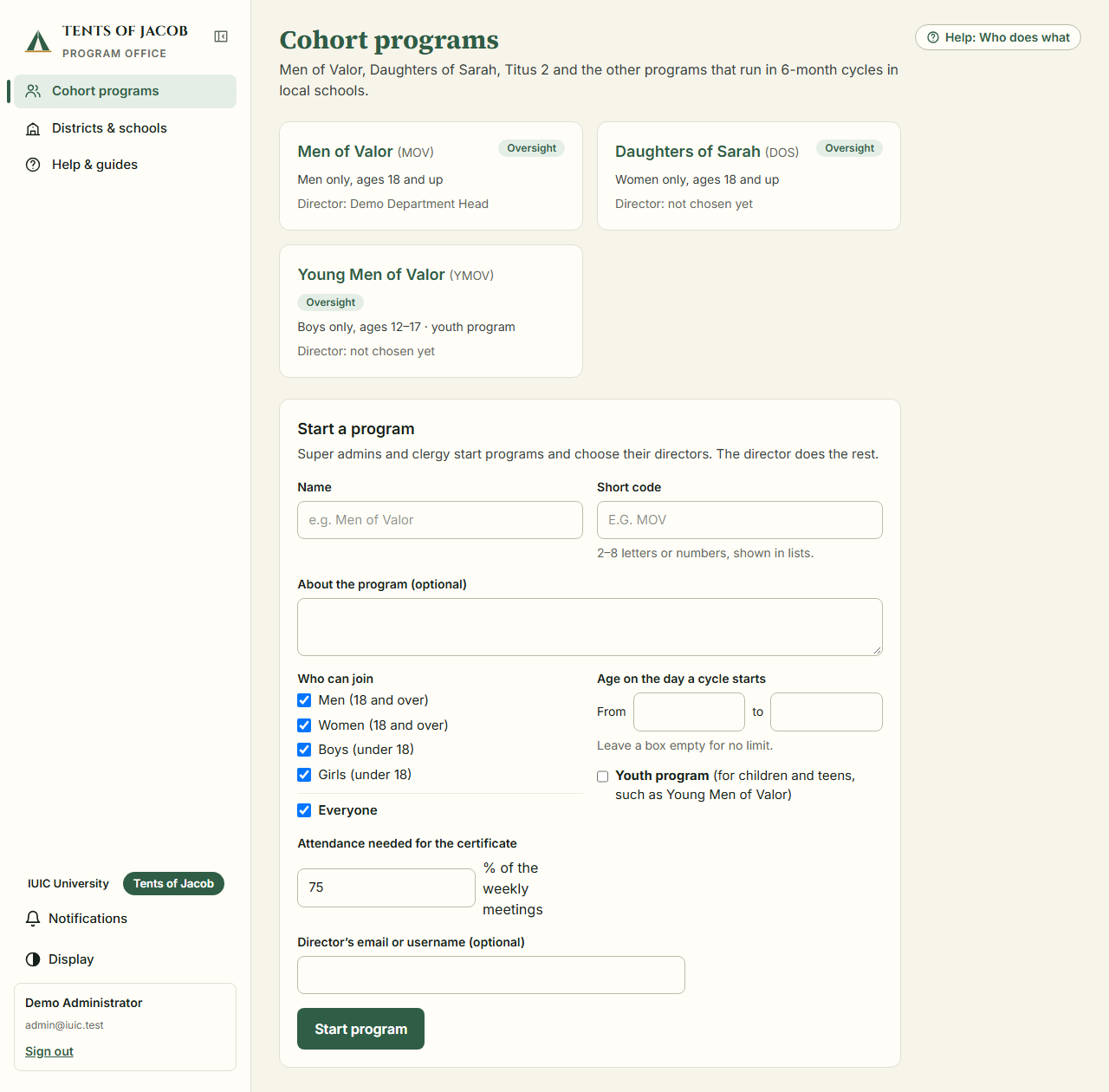
Super admins and clergy start a program at the bottom of the program office's first page, Cohort programs:
- Name and short code, for example Men of Valor and MOV. The code shows in lists.
- Who can join: tick any combination of Men and Women (18 and over) and Boys and Girls (under 18). Everyone ticks all four. For example, Men of Valor is Men, Young Men of Valor is Boys, and Titus 2 might be Women and Girls.
- Age range: a person's age is counted on the day a cycle starts. Leave a box empty for no limit. For example, Men of Valor is 18 and up, and Young Men of Valor might be 12 to 17.
- Youth program: tick this for YMOV and YDOS.
- Attendance needed for the certificate: the share of weekly meetings someone must attend to earn the program certificate, 75% to start.
- Director: optional. You can choose them later on the program's page, and add a co-director.
The program page
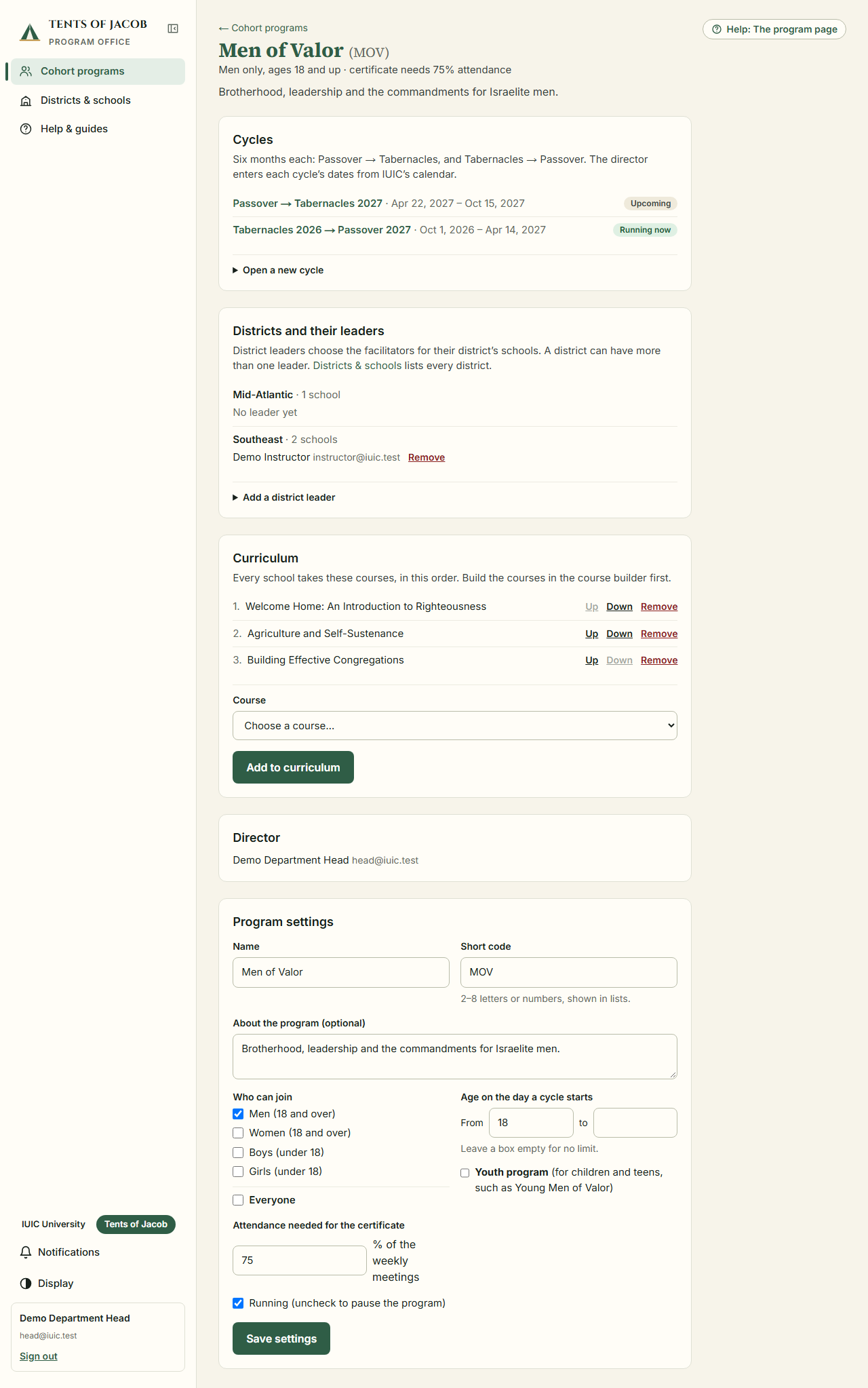
The program's page has these sections:
- Cycles:
- every cycle, with its dates and whether it's upcoming, running or ended;
- Open a new cycle: choose the season, then enter the first and last day from IUIC's calendar (the feast dates move each year);
- the name is made from the season and year unless you type one;
- cycles can't overlap.
- Districts and their leaders: the director adds leaders with Add a district leader and takes them off with Remove.
- Curriculum:
- the courses every school takes, in order;
- build the courses in the course builder first, then add them here;
- Up and Down change the order;
- a course that isn't published yet is marked, so you can plan ahead.
- Director: super admins and clergy add a director or co-director here.
- Program settings: the same choices as when the program was started. Untick Running to pause the program.
Districts & schools
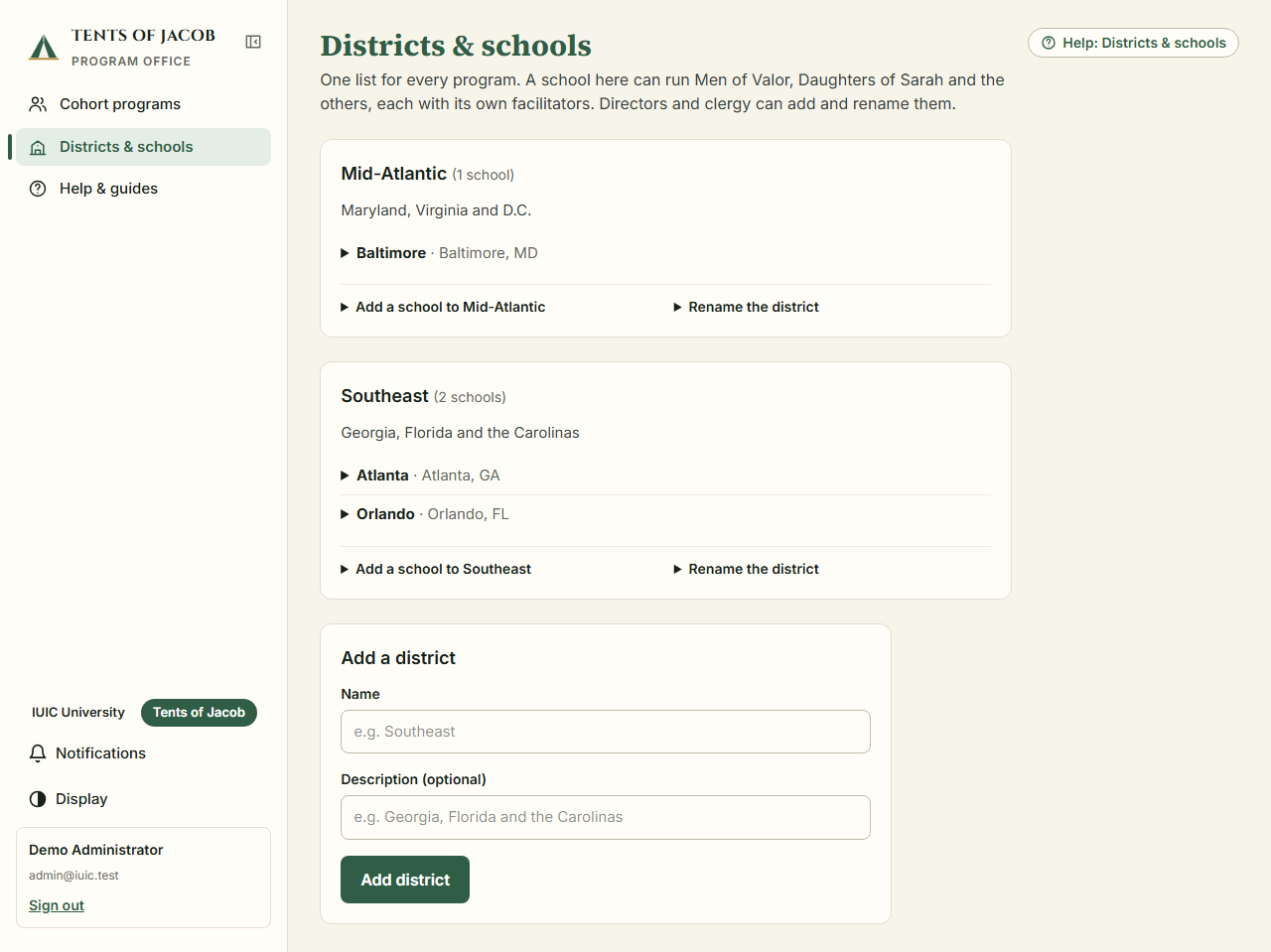
Districts & schools is one list for every program. A school such as Atlanta is set up once. Men of Valor, Daughters of Sarah and Titus 2 can each run there, with their own facilitators.
- Who changes it: directors and clergy add districts and schools, and rename them.
- Opening a district: click a district's name to rename it or add a school to it.
- Changing a school: click a school to change its name or location. Untick Open if the school closes; it then drops out of new cycles.
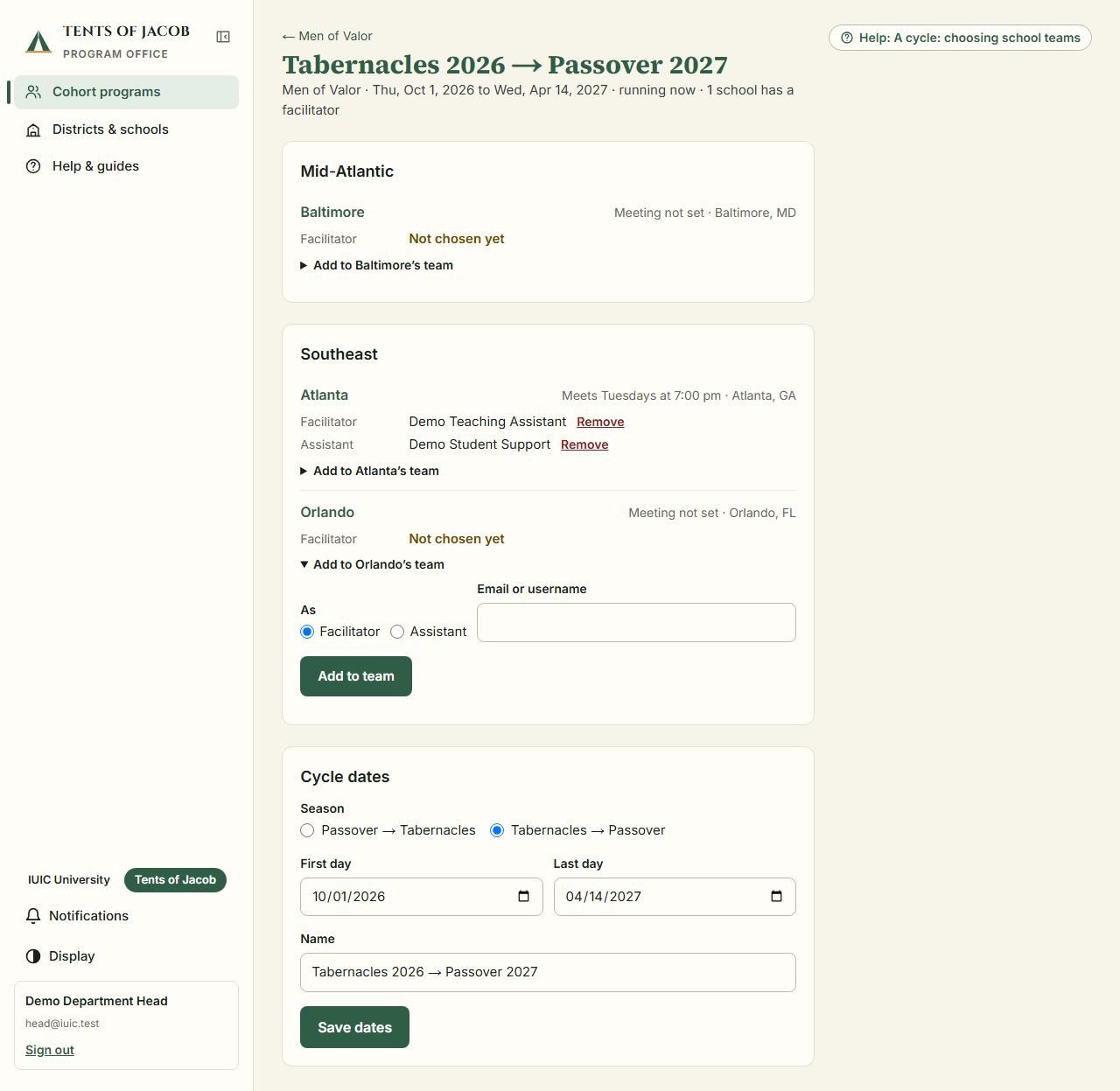
A cycle: choosing school teams
Open a cycle from the program page. Each district lists its schools, with:
- the facilitator;
- the assistants;
- when the school meets.
Who sees what:
- The director sees every district.
- A district leader sees their own districts.
- Facilitators and assistants see only their own school.
To choose a team (district leaders and the director):
- Open Add to school's team.
- Choose Facilitator or Assistant.
- Enter the person's email or username.
Rules:
- The limit: each school has one facilitator and at most two assistants each cycle. The site won't allow more.
- Changing the facilitator: Remove the current one first.
- Each cycle starts fresh: a new cycle starts with empty teams, so choose them again. Often they're the same people.
The director can change a cycle's dates at the bottom of its page. A cycle can be deleted only while no school has a team in it.
Your school's page (facilitators)
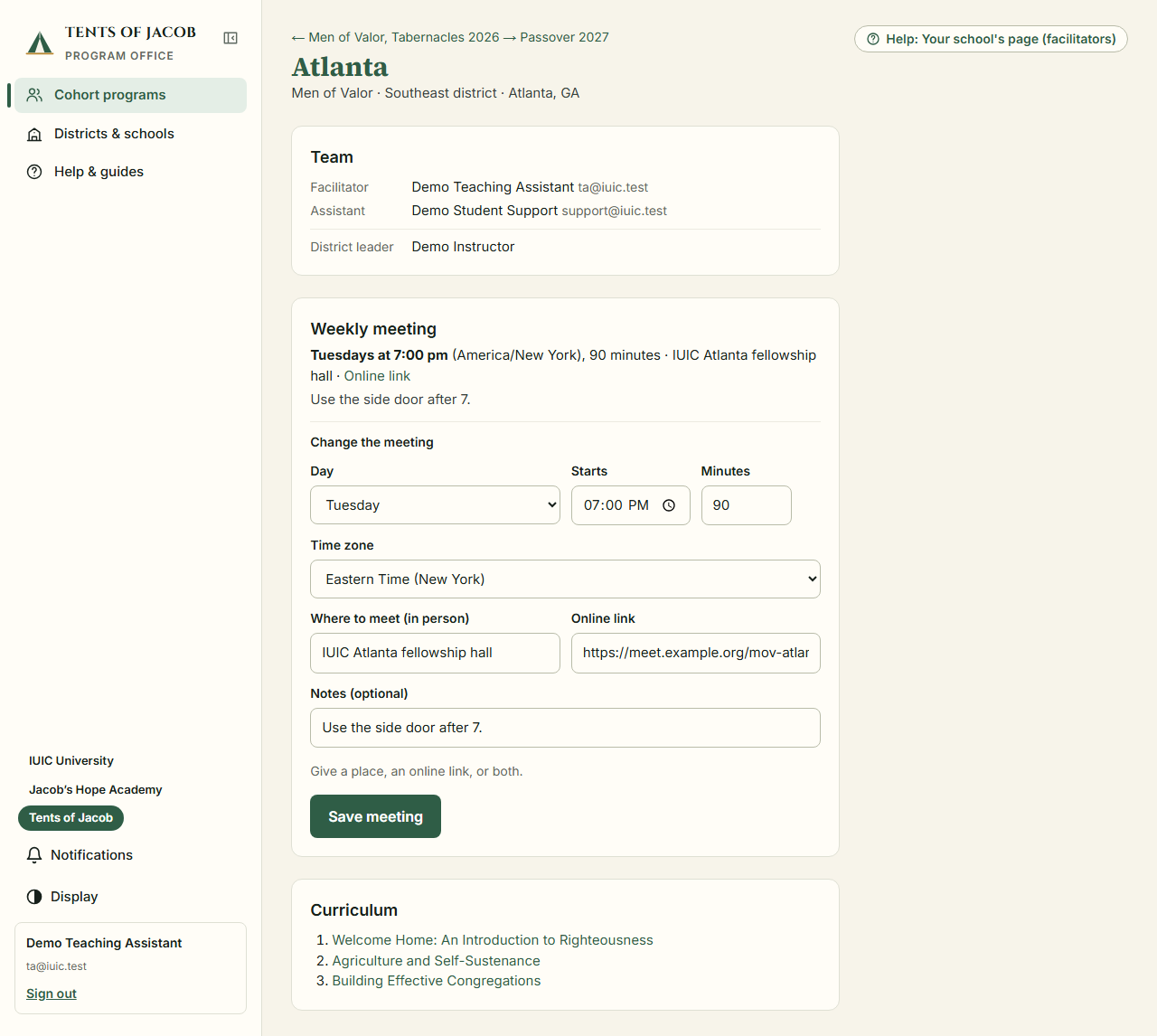
Click your school's name in the cycle to open its page. It shows:
- Team: you, your assistants and your district leader.
- Weekly meeting: the facilitator (or the district leader) sets the meeting:
- the day and time, how long it lasts, and the time zone;
- where to meet in person, an online link (it must start with https://), or both;
- optional notes, for example Use the side door. Assistants see the meeting but can't change it.
- Curriculum: the courses your school takes this cycle.